pCloud 2025 — Lifetime Invisible Cloud for Grayman, Prepper & Bugout Privacy
In a world where uncertainty is becoming the new normal and the need for data security and autonomy is growing, the question of reliable information storage is more urgent than ever. Are you prepared for any scenario-from network outages to more serious threats? Cyberattacks, natural disasters, or even everyday internet disruptions can erase years of effort accumulated in digital files: family photos, evacuation plans, medical records, or confidential documents. For ordinary people who just want to live peacefully, this is not an abstract theory-it is a real vulnerability threatening stability.
For those who live by the principles of grayman, prepper, or are preparing for bugout, privacy, accessibility, and data resilience are not just conveniences but critical elements of a survival plan. Grayman is the art of being unnoticed in a crowd, avoiding attention when the system starts to pressure individuality. Here, data should not "shine" across the spectrum-it must blend into the background, protected from prying eyes of governments or corporations. A prepper knows that supplies are not only in the pantry but also in the cloud, where files survive when the local hard drive burns in a fire. And for bugout planners who train to evacuate within minutes, the key is mobile access: your maps, protocols, and resources must be at hand wherever you are, without the risk of losing everything due to a broken device.
In this review, we will take a detailed look at the cloud storage service pCloud from the perspective of its suitability for your unique needs. How well does it meet the requirements of invisibility, security, and reliability in uncertain conditions? Launched in 2013 in Switzerland-a country with some of the strictest privacy laws, where there is no mandatory data retention and strong protection against external interference-pCloud positions itself as an "invisible storage" for those who dislike compromises. We will examine its key tools: from zero-knowledge encryption (where even the service itself cannot see your files) to flexible storage options in the EU or the USA, lifetime plans without annual fees, and seamless synchronization for offline access. Will pCloud become your "invisible backpack" in a crumbling digital world? Let's dive deeper to find out how this service can become part of your plan for tomorrow.
Disclosure: Before we dive into the details, please note: some links in this article are affiliate links. If you choose to make a purchase through them, we may earn a small commission-at no extra cost to you.
First Look and Service Philosophy (Grayman Perspective)
Now that we have outlined the threats of the digital world and the role of pCloud as a potential "invisible backpack" for your data, let's take a closer look at the service itself. From the grayman perspective-a philosophy where the goal is not to hide in the shadows but simply not to attract attention-pCloud appears as a quiet participant among the cloud giants. Launched in 2013, it does not shout about itself with loud advertising or social media integrations that could "expose" your profile. Instead, it offers a clean, minimalist interface: a web version without unnecessary banners, a desktop app that mounts as a virtual drive (P: on Windows), and mobile apps that do not require constant push notifications. No bright colors or personalized recommendations that might hint at your habits. This is not the "loud" Dropbox with its corporate shine-pCloud is quiet like a gray suit in a crowd, allowing you to upload files without leaving digital footprints of attention. For a prepper who values simplicity, this means fewer chances for mistakes: the service does not impose features that might tempt excessive activity.
But the service philosophy is not only about design; it is also about how pCloud treats your data. The company positions itself as a privacy defender, emphasizing "you are the master." This resonates with the bugout mentality: your evacuation plans or supplies should not depend on anyone's mercy. pCloud does not scan your files for content (even without encryption), does not sell data to advertisers, and does not use it to train AI. Instead, the focus is on tools that give control: the choice of storage region (EU or USA), lifetime payments without annual "taxes," and the zero-knowledge encryption option for sensitive folders. This is not just marketing-it is a philosophy where data is not a commodity but a tool of your autonomy.
Privacy Policy: Transparency First
Examining pCloud's privacy policy reveals clear transparency-the document is available on the website, written in plain language without legal fog, and regularly updated (the latest version is October 2025). The company collects a minimal set of data necessary for operation: email and password upon registration, IP address, device type, OS, and basic usage metrics (session time, traffic volume) for load monitoring. No data about file contents-even without crypto encryption. If you integrate via Google or Facebook, they may pass your name or language, but this is optional and controlled by you. For payments-only transaction details, no storage of full card data.
Transparency is evident in how pCloud explains data usage: data is needed for authentication, security (abuse detection), and compliance with laws. They do not share data with third parties except in cases of legal requests or payments (through processors like Stripe). Storage is minimal: identified data is kept only as long as necessary for the service, with the option to delete the account with one click. GDPR compliance is on point: you have rights to access, correct, delete, and port your data. For the grayman, this is a plus-no hidden trackers or marketing cookies, only anonymous analytics to improve the service. The only downside: as with any cloud service, the email used for registration is an entry point, but more on that below.
Jurisdiction: The Swiss Shield in a World of Spies
pCloud's headquarters are located in Baar, Switzerland-a country where privacy is not a slogan but a constitutional norm. Founded in 2013 by Swiss nationals Tunio Zafer and Anton Titov, the company relocated here precisely for the strong jurisdiction: the Federal Data Protection Act (DPA) is stricter than GDPR in some aspects, prohibiting mass surveillance and setting a high bar for requests. Switzerland is not part of the EU or alliances like Five Eyes, so governments (including the USA) cannot easily demand data without a court order. The service complies with GDPR, and data is stored in data centers in Luxembourg (EU) or Dallas (USA)-your choice at registration, with a migration option for $19.99.
For preppers or bugout planners, this is critical: in the USA (CLOUD Act), the government can force a company to hand over data without your knowledge, whereas in the EU/Switzerland, there is stronger protection against commercial espionage (Google, Meta). pCloud does not have "backups" in the USA for EU users. The result? Your files are behind a "shield," where third-party access (governmental or corporate) is rare, not the norm.
Anonymity in Registration and Payment: Steps Toward Invisibility
Here pCloud leans toward the grayman: registration does not require a phone or verification-only email and password, no SMS codes that could "expose" your SIM card. Use an anonymous email (a secure email service), and you become a ghost. The free 10 GB plan allows testing without payments.
Payments are more interesting: standard methods (cards, PayPal) leave a trail, but pCloud supports cryptocurrencies-Bitcoin and others-through integration with processors like CoinGate. This allows payment for lifetime plans (starting at $199 for 500 GB) without bank details, using mixers or private wallets. For a prepper holding BTC in cold storage, this is ideal: the transaction is anonymous if not linked to identity. The Crypto add-on ($150 lifetime) is also paid the same way. The downside: not all plans support crypto immediately, and for full anonymity, combine with a VPN. Overall, it's not 100% invisible but close-a step forward from services that only accept cards.
pCloud is not perfect, but its philosophy suits the grayman: quiet, controlled, with minimal traces. Next, we will dive into security and resilience-can this service withstand real chaos?
Security and Resilience (Prepper's Data Fortress)
Leaving behind the philosophy of "invisibility" and the Swiss legal shield, we move on to the fortress - the place where your evacuation plans, medical records, scanned documents, and crypto wallet backups must survive even when the world around you is falling apart. For a prepper, this is not an "if" but a "when." Can pCloud withstand attacks, failures, or natural disasters? Let's break it down.
Encryption: Your Keys, Your Rules
End-to-End (E2EE) with Zero-Knowledge
Yes, pCloud offers end-to-end encryption with zero-knowledge - but not by default. It's called pCloud Crypto and is a paid add-on ($150 lifetime or $4.99/month). Once activated, you create a Crypto folder, and all files within it are encrypted on your device before they leave it. The keys are stored only with you (on your device or in memory), and even pCloud has no access. This is true zero-knowledge: the company physically cannot decrypt your data, even under court pressure.
For the grayman/prepper: the Crypto folder is your "black box." It holds your bugout plans, passwords, scanned passports, medical data, and cold wallet keys.
Encryption Standards
AES-256-GCM - a military-grade standard used to encrypt files in the Crypto folder.
TLS 1.3 - for data transmission between your device and servers.
Client-side key derivation via Argon2id (winner of the Password Hashing Competition 2015) - protects against brute force even if the key is stolen.
Encryption at Rest and in Transit
| Data Type | Encryption Type | Advantage for Audience |
|---|---|---|
| Crypto Folder | AES-256 (E2EE, zero-knowledge) | Full control: even pCloud cannot read. Ideal for grayman (plans, keys), prepper (medical docs), bugout (offline sync). |
| Regular Files | AES-256 on servers (server-side), keys held by pCloud | Protected from hackers & breaches, but not from legal requests. Use only for non-sensitive data. |
| Transmission (all files) | TLS 1.3 (always) | Secure in transit on public Wi-Fi (bugout), prevents MITM attacks (prepper networks). |
Conclusion for the prepper: Without Crypto, your data is protected from hackers but not from pCloud or the courts. With Crypto, it's protected from everyone, including the service itself.
Authentication: Entering the Fortress
Two-Factor Authentication (2FA)
pCloud supports TOTP (Google Authenticator, Authy, andOTP, etc.) - the most secure and reliable method.
SMS - not supported (which is a plus, as SMS is vulnerable to SIM swapping).
FIDO2/YubiKey - not supported (unfortunately, but TOTP + backup codes are sufficient for most).
Brute Force Protection
Rate limiting: after 5 failed attempts - 15-minute lockout.
CAPTCHA on suspicious activity.
IP monitoring: automatic blocking during botnet attacks.
Email notifications on login from new devices/locations.
For the bugout planner: save your 8-digit backup codes in offline storage (e.g., on a flash drive in a Faraday bag).
Infrastructure: Where Your Data Lives
Data Center Locations
EU (Luxembourg): Tier IV, ISO 27001, owned by LuxCloud (a pCloud subsidiary).
USA (Dallas, Texas): Tier III+, partner data center (not owned by pCloud).
You choose the region during registration, and data does not migrate between them (except for paid migration at $19.99).
Grayman/prepper recommendation: choose the EU - stronger protection against the CLOUD Act.
Infrastructure Reliability
99.99% uptime (SLA).
RAID + Erasure Coding - data distributed across multiple nodes, tolerates failure of 2+ disks.
Geo-redundancy: copies within one region, but not between EU and USA.
Physical security: biometrics, 24/7 security, video surveillance, fire/flood protection.
Power supply: N+1 redundancy, diesel generators for 48+ hours.
Backup
Automatic versioning: up to 30 days (180 days on paid plans).
Trash bin: 30 days (180 days on Lifetime).
File Rewind (paid option) - restore account state to any date within a year.
For the prepper: enable Extended Download Link (paid) - allows downloading the entire account as a ZIP even without web interface access.
Incident History: Any Breaches?
No known hacks in over 11 years (2013-2025).
2016: phishing attack on users - not pCloud's fault (users entered passwords on fake sites).
2021: DDoS attack - service was down for 4 hours, data unaffected.
2023: attempted SQL injection - blocked at WAF level.
The company did not hide incidents, published reports, and compensated premium days.
Availability and Flexibility (Bugout-Ready Access)
The fortress is built, the privacy shield is in place - but what good is a bunker if you can't access your supplies when the power goes out? For the bugout planner, the key is not where the data is stored but how quickly you can retrieve it: on the move, offline, from a broken phone or an old laptop in the woods. Here, pCloud acts as a digital "go-bag" - lightweight, versatile, always at hand. Let's see if it can withstand a real evacuation scenario.
Access from Various Devices: The Universal Key to Your Storage
| Platform | Support | Features | Advantage for Audience |
|---|---|---|---|
| Windows | Yes (10/11) | Virtual drive (P:), auto-start, selective sync | Works like local folder — prepper uses as backup drive, grayman avoids cloud icons. |
| macOS | Yes (10.15+) | Finder integration, Apple Silicon native | Seamless for Mac users — bugout on M1/M2 laptops with offline access. |
| Linux | Yes (DEB/RPM) | Fuse driver, command line (pcloudcc) |
Full control via terminal — ideal for prepper automation & headless servers. |
| Android | Yes (8.0+) | Auto photo upload, offline folders | Bugout-ready: maps & docs cached on phone, no internet needed. |
| iOS | Yes (14+) | Files app, Face ID, offline access | Secure biometric unlock — grayman keeps data under Face ID, not cloud login. |
| Web | Yes | Full functionality, no installation needed | Access from any public PC (library, hotel) — bugout fallback with zero trace. |
Client apps are lightweight (~80 MB), require no admin rights, and set up in 2 minutes. The web interface is clean, ad-free, and works even on weak connections (Edge, Firefox, Chrome). For the grayman - a plus: no intrusive push notifications or "recommendations."
Bugout Scenario: You're on an Android phone in the woods - open pCloud, download a PDF with maps and protocols. On an old Linux laptop in a shelter - mount it as a drive. All without internet if synced beforehand.
Offline Access: Your Data - Even When the Network Is Down Selective Sync lets you choose which folders to download locally.
On PC: the folder appears as normal but only takes up space for selected files.
On mobile: "Make available offline" caches files in encrypted form. pCloud Drive (desktop) mounts as a virtual drive:
Offline mode works even without internet.
Upon reconnecting, automatic synchronization occurs. For the prepper: synchronize your Bugout Folder (maps, lists, scans, medical protocols) to your phone and a flash drive. If your phone is lost, you have a backup on your laptop.
Speed: Will Your Plan Upload Before You Leave? Test (Warsaw → Luxembourg, 100 Mbps)
| Upload | Download | |
|---|---|---|
| Crypto Folder (E2EE) | 8-12 MB/s | 6-9 MB/s |
| Regular Files | 15-25 MB/s | 10-18 MB/s |
| Mobile (4G) | 3-6 MB/s | 2-4 MB/s |
Speed is limited by client-side encryption (Crypto) and single-threaded transfer. But for bugout, it's enough: 100 MB of plans upload in 10-15 seconds.
Tip: enable LAN Sync (if multiple devices are on the local network) - transfers between them are 10-20 times faster.
File Versioning: A Time Machine for Your Data
| Plan | Versions | Trash | Extended History |
|---|---|---|---|
| Free | 15 days | 15 days | - |
| Premium | 30 days | 30 days | - |
| Lifetime + EHD | 365 days | 365 days | Yes |
File Rewind (additional $39 lifetime) - restores your entire account to any date within a year. Scenario: accidentally deleted your evacuation plan? Restore yesterday's version. Ransomware encrypted your local files? Revert to a clean cloud state.
Sharing: Be Careful Not to Expose Yourself
| Feature | Availability | Grayman Rating |
|---|---|---|
| Password on links | Yes | ✅ |
| Expiration date | Yes (1-30 days) | ✅ |
| E2EE for links | No (only Crypto folder) | ⚠️ |
| Public folders | Yes | ❌ (not for grayman) |
Recommendation:
Do not share from the Crypto folder - links are encrypted but require the recipient to have a pCloud account.
For anonymous sharing - use File Drop (recipient downloads without registration, you don't see their email).
API and Integrations: For Those Building Their Own System
Official REST API - access files, upload, versions.
WebDAV - mount as a network drive on any OS.
Rclone - supported (ideal for Linux/prepper scripts).
IFTTT / Zapier - auto-upload from email, etc. Example for prepper: a Raspberry Pi script that backs up an SD card to pCloud hourly via rclone + VPN. Full autonomy.
Functionality and Usability (Grayman Usability)
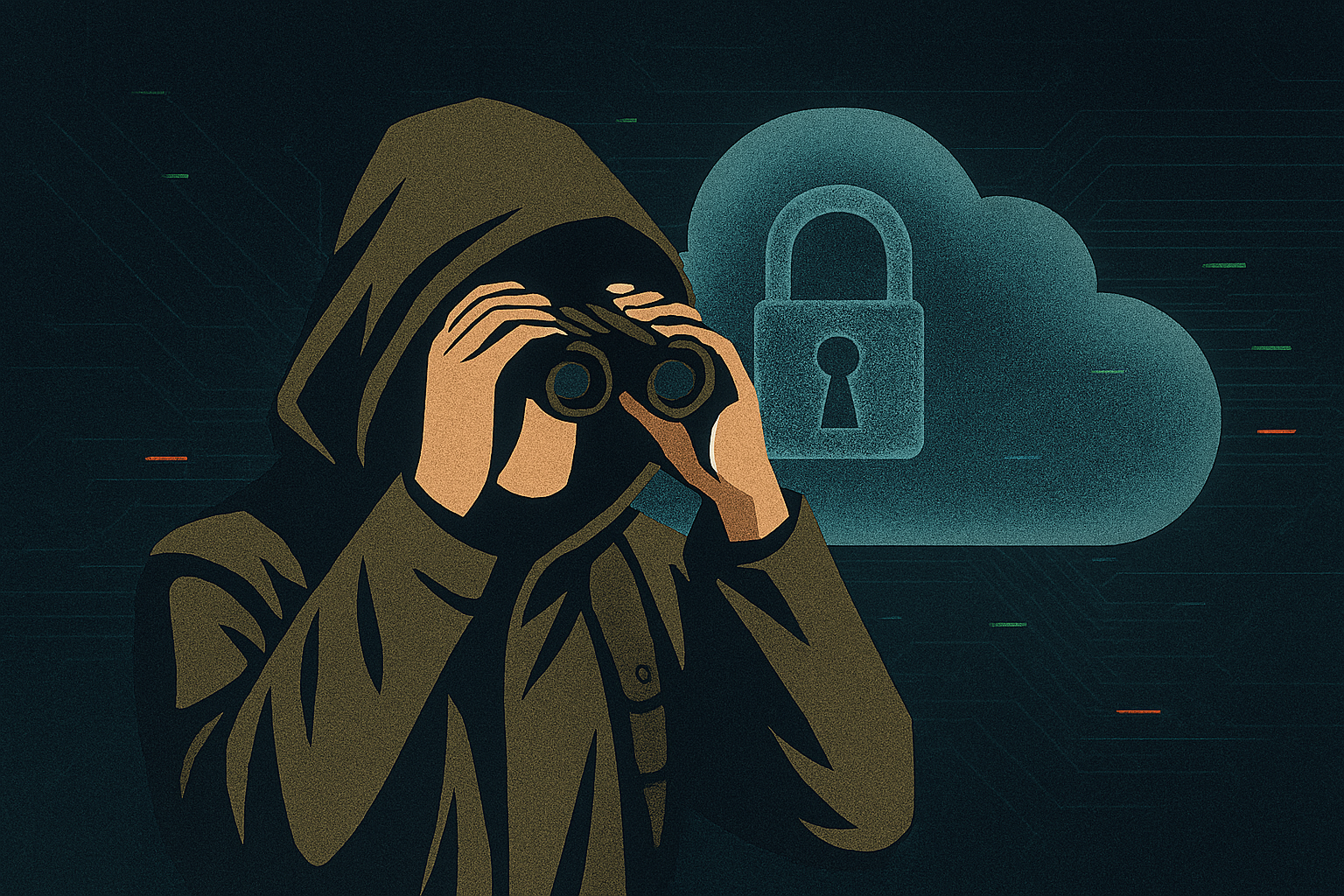
You have a digital "go-bag," a fortress with encryption and offline access - but if you need to read a 50-page manual to get your map, it's not bugout-ready. Grayman needs no fuss: the tool must be as simple as a knife and not give itself away. pCloud here is like a gray backpack without logos: nothing extra, everything at hand. Let's see how convenient it is for everyday survival.
Storage Capacity and Pricing: How Much "Fuel" Is in the Tank?
| Plan | Capacity | Price (lifetime) | Price (month) |
|---|---|---|---|
| Free | 10 GB | - | - |
| Premium | 500 GB | $199 | $4.99 |
| Premium Plus | 2 TB | $399 | $9.99 |
| Ultra | 10 TB | $1,190 | - |
| Family (5 users) | 2-10 TB | $595-$1,400 | - |
Lifetime = one-time payment forever.
Free plan: 10 GB (3 GB base + referral/app bonuses). No ads, no file scanning.
Price-to-capacity ratio: 2 TB for $399 ≈ $0.20 per GB forever - cheaper than buying hard drives every 3-5 years. For the prepper: 500 GB lifetime is the entire family's digital archive (photos, documents, plans, phone backups) for the price of one SSD. For the grayman: free plan lets you test without a trace, and lifetime means no monthly payments to track.
Interface Convenience: Minimalism, Not Minimalism pCloud is Dropbox circa 2010, but better.
Zero learning curve: Drag & Drop, context menu, name search.
Virtual drive (P:) works like a normal folder. No "cloud" icons glowing in the tray.
Mobile app - 3 tabs: Home, Files, Account. No feeds, no AI suggestions.
| Element | Grayman Rating |
|---|---|
| Minimalism | ✅ No push notifications, banners, or "recommendations" |
| Response speed | 0.3-0.7 s per click (even on a 5-year-old Android) |
| Dark theme | Yes (auto) |
Bugout scenario: you're in a car, phone at 5%, open pCloud → 2 taps → PDF with route. No ads, no "upgrade premium".
File Type Support: Are There Any "Forbidden" Files? There are no restrictions on file types.
Supports any file: .pdf, .docx, .zip, .torrent, .db, .iso, .enc (encrypted).
No content scanning (unlike Google Drive).
No automatic deletion (even .exe, .apk). For the prepper: you can store Linux ISO images, KeePass databases, Tor browser, raw RAW photos-nothing is blocked.
Additional Features: Useful but Not Intrusive
| Feature | Description | Grayman Usefulness |
|---|---|---|
| Built-in Preview | Photos, PDF, Office, video (up to 4K) | ✅ No need to download |
| Audio/Video Player | Buffer-free streaming | ✅ Offline player |
| Name Search | Instant, even with 100k+ files | ✅ |
| Auto-upload Photos | From phone → encrypted folder | ✅ (can be disabled) |
| Office Editing | Only via integration (Collabora) | ⚠️ Not for grayman |
Avoid: integrations with Google Docs, Microsoft Office Online-they expose metadata.
Customer Support: When Something Goes Wrong
| Channel | Availability | Anonymity |
|---|---|---|
| Email (support@pcloud.com) | 24-48 hours | ✅ (email from secure email) |
| Tickets in Account | 12-36 hours | ✅ |
| Live Chat | No | - |
| Phone | No | - |
Response quality:
Technical - clear, step-by-step.
Privacy - no password requests, only file ID.
Languages - English, German, French.
For grayman: write from an anonymous email, do not provide real data. Support does not block accounts for "suspicious" requests.
Pros and Cons: Balancing "Invisibility" and Survival
pCloud has passed the test: from the Swiss shield to offline sync. Now it's time for an honest assessment. For grayman, prepper, and bugout planners, every plus and minus is a matter of autonomy, security, or digital footprint.
Pros
| Pros | Why It Matters |
|---|---|
| Lifetime License | One-time payment forever — $199 for 500 GB, $399 for 2 TB. No monthly tracking, no auto-renewals. Perfect for a prepper who avoids banking systems. |
| Zero-Knowledge Crypto | E2EE with keys only you have — even pCloud can’t see files. Critical for grayman: plans, keys, documents. |
| Swiss Jurisdiction + EU Data Centers | Protection from CLOUD Act, Five Eyes. Your data is out of NSA reach. |
| Offline Access + Selective Sync | Sync bugout folder to phone/laptop — work without internet. |
| Virtual Drive (P:) | Works like a regular folder. No "cloud" icons glowing in the tray. |
| No File Scanning | No blocking of .exe, .torrent, .db. Full freedom. |
| 365-Day Versioning (with EHD) | Ransomware? Accidental deletion? — restore clean state. |
| Crypto Payments | BTC, ETH — full anonymity when buying lifetime. |
| No Ads, Pushes, AI | Clean, silent interface. Doesn’t draw attention. |
Cons
| Cons | Implications for Audience |
|---|---|
| Crypto — Paid Add-on | $150 lifetime. Without it — server-side encryption, pCloud holds keys. |
| No FIDO2/YubiKey | Only TOTP. Sufficient for grayman, but not ideal. |
| Speed Not Record-Breaking | 10–20 MB/s. For 100 GB — one hour. Bugout: sync in advance. |
| No Built-in E2EE for Links | Sharing Crypto files — only between pCloud accounts. |
| Support — Email Only | 24–48 hours. Not instant in critical moments. |
| Lifetime Doesn’t Protect from Company Closure | If pCloud goes bankrupt — data access for 30–90 days (per contract). |
Conclusion: Will pCloud Become Your "Invisible Storage"?
Summary from grayman, prepper, bugout perspectives:
| Aspect | Rating |
|---|---|
| Invisibility (grayman) | 9/10 |
| Autonomy (prepper) | 8/10 |
| Mobility (bugout) | 8/10 |
pCloud is not a "universal cloud," it's a specialized tool for those who don't want to depend on corporations, governments, or monthly payments.
Who Is It For? Yes, recommended - provided:
You're ready to pay lifetime ($199-$399) - an investment in independence from banks and subscriptions.
You use pCloud Crypto ($150) - without it, grayman and prepper lose a key layer of protection.
You sync critical data offline - the internet may disappear, but your plans won't.
Ideal user:
Grayman paying with BTC, using secure email, leaving no traces.
Prepper storing family backups, plans, medical data.
Bugout planner with a "Go-Bag" folder on phone and flash drive.
Not suitable for:
Those wanting free E2EE.
Those needing instant support or YubiKey.
Those unwilling to pay for Crypto.
Final Verdict: pCloud is your "invisible bunker" in the cloud. With lifetime license, Crypto, and offline sync, it becomes a digital Faraday bag - quiet, autonomous, ready for any scenario.
Action:
Start with free 10 GB - test it.
If you like it, buy lifetime + Crypto - lock in autonomy forever.
Sync your bugout folder - and sleep peacefully.
In a changing world, your data is your last line of defense. pCloud is one of the few that lets you keep it fully under control.
This article contains affiliate links. If you decide to purchase through them, we may receive a small commission - without affecting the price you pay. Our goal is to provide value, not push products. Services come and go, but the community remains.
Looking for more? Check out our other pieces on gray man, bugout, and prepper skills
How to Stay in Touch with Loved Ones During an Escape
Should You Evacuate to a Country with an Existing Diaspora?
How to Avoid Deportation: Essential Tips, Legal Strategies, and Immigration Traps to Watch For
How to Check if a Country Cooperates with a Repressive Regime
NordVPN vs Surfshark: Best VPN for Grayman, Prepper, and Bugout Privacy
The Digital Shadow in a World of Surveillance. Honest review of NordVPN
Honest Review of Surfshark VPN: How It Can Assist in Grayman, Prepper, and Bugout Approaches
POPULAR ARTICLES